
Creating Prescriptions for Spot Spraying
Spot spraying prescriptions allow you to target only the areas affected by weeds instead of treating the entire field.
By using PlantAI weed detection results, Solvi can automatically identify patches of weeds and create a prescription map that distinguishes between spray and no-spray zones.
This approach helps minimize herbicide use, lower input costs, and reduce environmental impact while maintaining effective weed control.
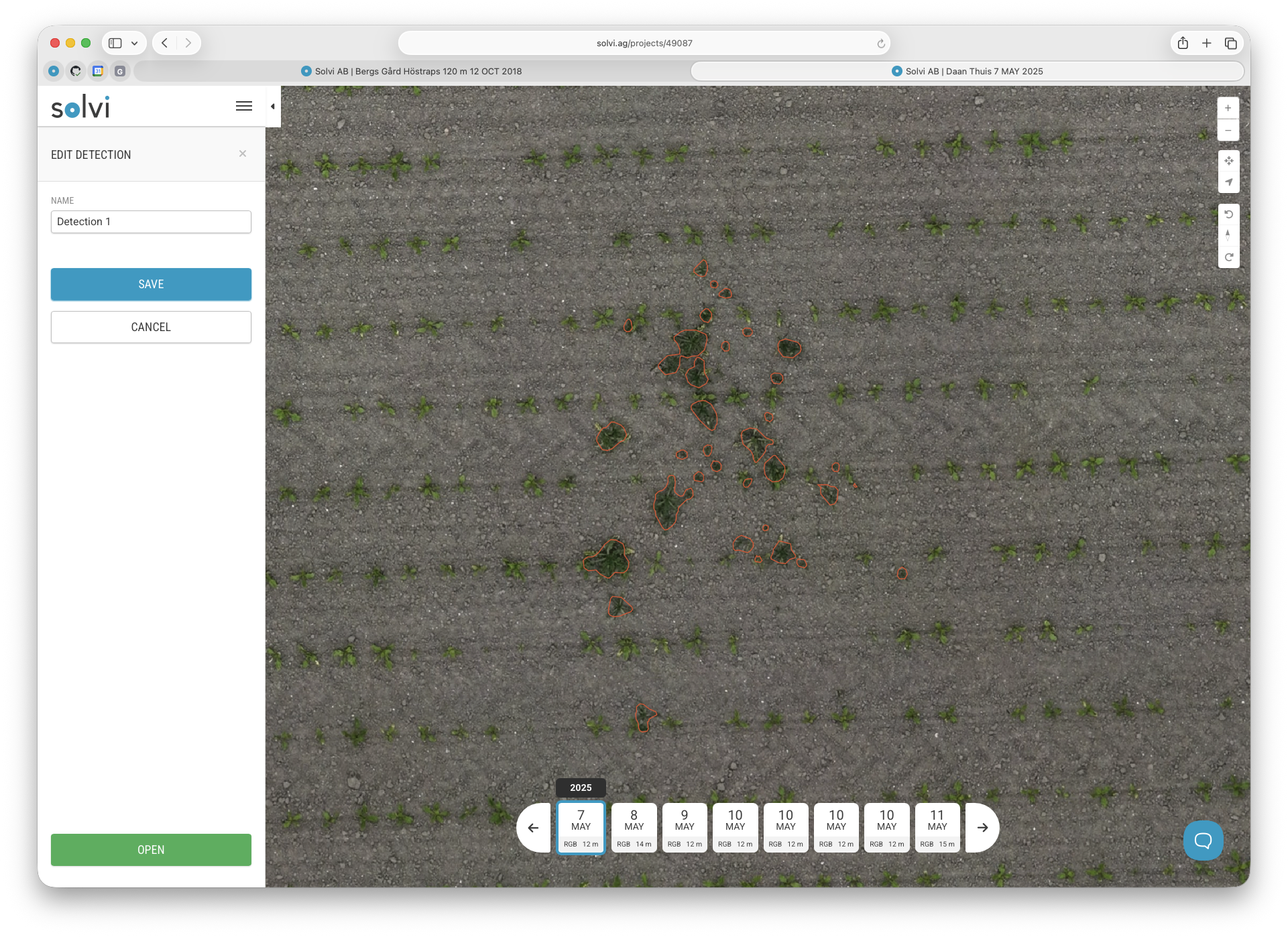
Step 1. Start a New Prescription
Open the Prescription Tool and click New.
Select PlantAI Detection as the data source, then choose the detection run that contains weed detection results (e.g., “Detection 1”).
Each weed detection run contains spatial data indicating where weeds were identified and their density or coverage level.
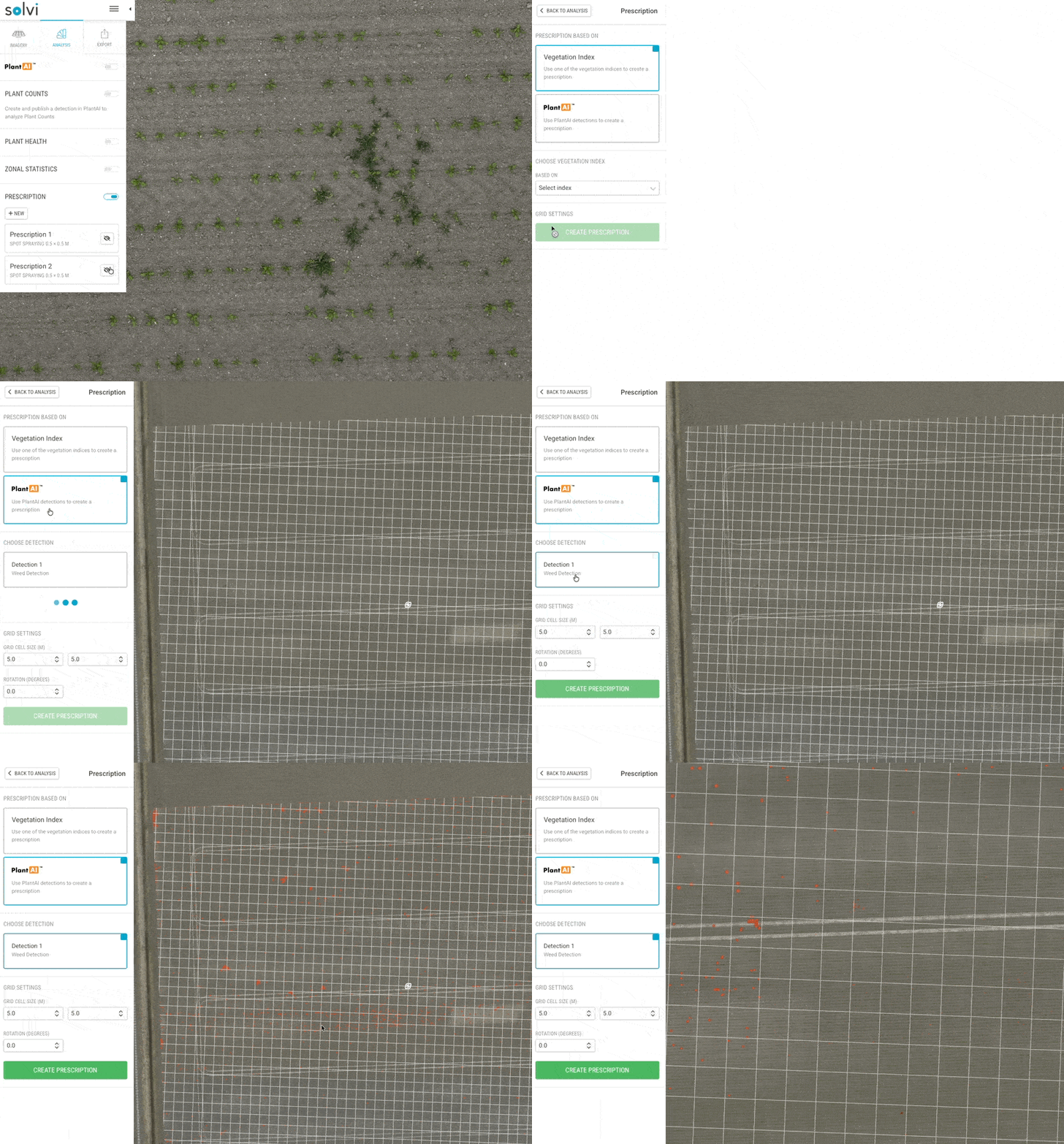
Step 2. Configure the Grid
Define the grid resolution and orientation.
Because weed infestations are often localized and small, a fine grid is recommended to ensure precise targeting.
Adjust the following parameters:
- Rotation — Align the grid with the driving direction of your sprayer.
- Working width — Match the width to the sprayer’s boom or nozzle section width.
- Cell size — Choose a small grid size for accuracy (e.g., 0.5 × 0.5 m or 1 × 1 m).
Smaller cells allow for more precise weed targeting but can increase file complexity. Adjust based on your sprayer’s section control capabilities and positioning accuracy.
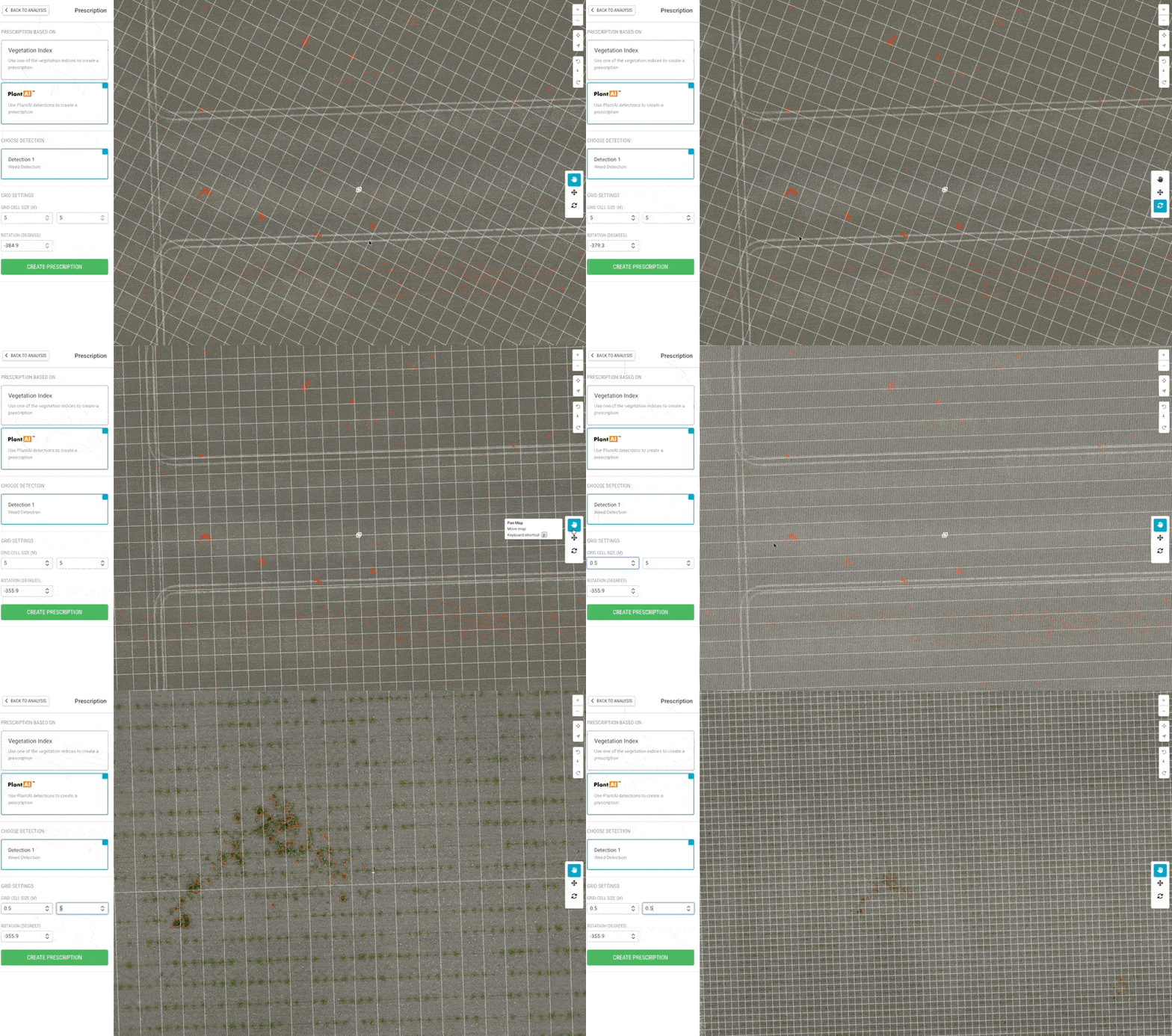
Step 3. Generate the Prescription
Click Create Prescription.
The tool will analyze each grid cell and determine whether it overlaps with detected weed patches.
- Cells overlapping with weeds → marked as spray zones.
- Cells without weeds → marked as no-spray zones.
The resulting prescription map highlights only the areas that need treatment.
You can view the total treated area and percentage of field coverage directly in the summary panel.
Step 4. Assign Rates
Define the spray rate to be applied in the weed-affected cells.
For example:
- Spray zones → full herbicide rate (e.g., 100%)
The total expected spray volume and treated area are automatically displayed, allowing you to verify that the prescription matches your intended spray plan.
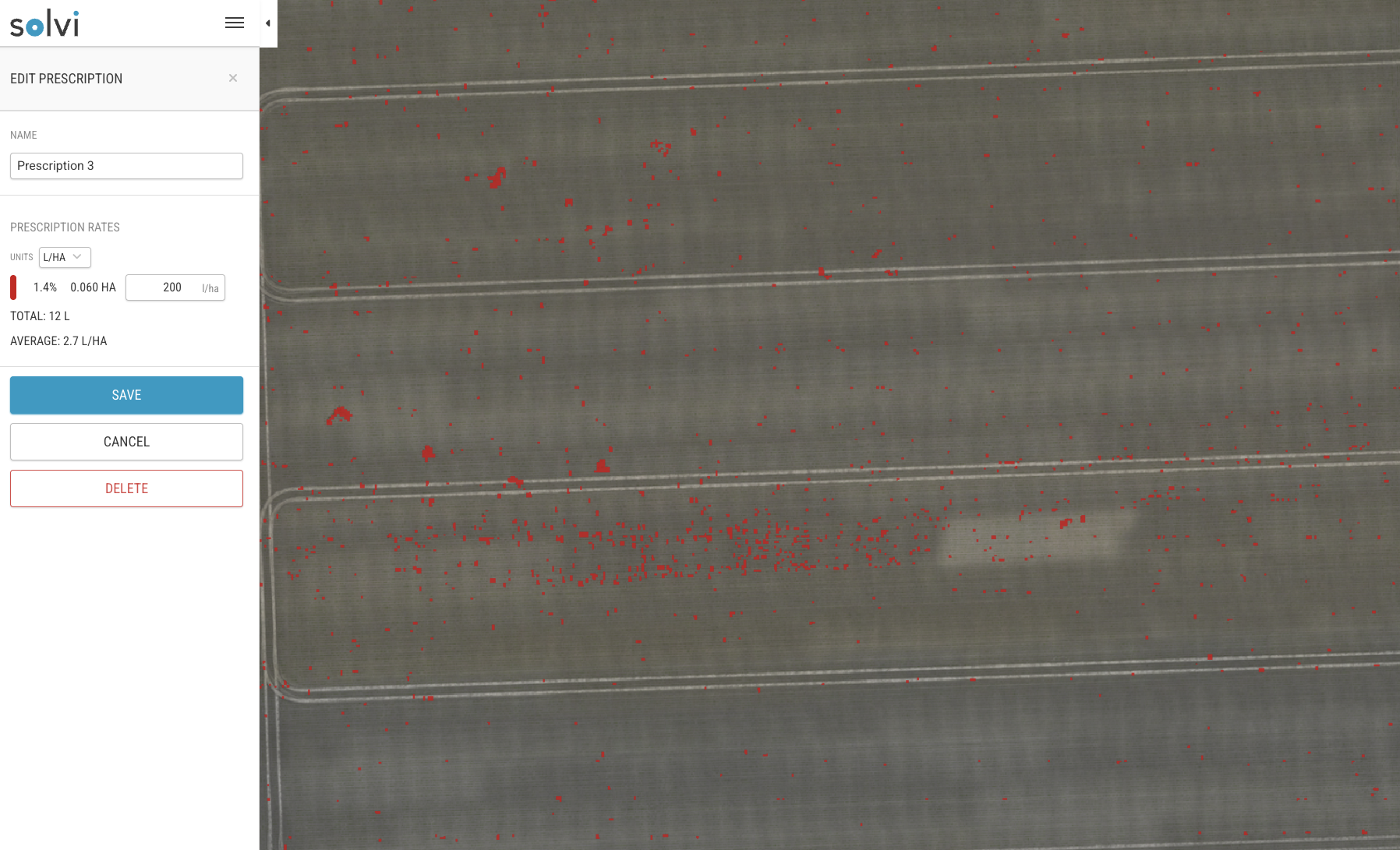
Step 5. Save and Export
After configuring the rates, click Save to store the prescription.
Go to the Export tab and select Prescription to download the file in the desired format.
Supported formats include:
- Generic Shapefile (.shp)
- John Deere-compatible format
- DJI Agras drones
- Hardi GeoSelect

Best Practices
- Perform weed detection at a growth stage where both crop and weeds are clearly distinguishable.
- Use small grid cells (≤1 m) for precise spraying, but verify that your sprayer can handle the resulting file size.
- Ensure RTK-enabled positioning or ground control points for accurate weed patch alignment.
- Verify detections visually before generating the prescription to avoid over- or under-spraying.
By combining high-resolution PlantAI weed detection with variable-rate prescription mapping, Solvi enables precise, data-driven spot spraying that minimizes input use and maximizes operational efficiency.